Missing Reward Help
Why Did I Not Receive My Robux After Completing an Offer?
May 4, 2026 by RBXPerks
Missing Robux can be frustrating, but it usually happens because the offer is still being reviewed, the provider could not track the completion, or the offerwall needs more proof. This guide shows what to check before opening a support ticket.
First, give the offer time to process
Some rewards are instant, while others can take up to 24 hours. Avoid repeating the same offer while waiting, because duplicate attempts can make support harder to review.
Common Reasons Rewards Do Not Credit
The offer is still processing
Some surveys credit quickly, but others can take a few minutes or up to 24 hours depending on the provider.
The survey was rushed or answered inconsistently
Offerwalls may reject surveys if answers look random, fake, or much faster than normal completion time.
The requirements were not fully completed
Some offers require multiple steps, email confirmation, app activity, or a final completion screen before crediting.
Tracking was blocked
VPNs, proxies, ad blockers, private browsing, or switching devices/networks can stop the provider from confirming completion.
The offer was completed before
Many offers only credit once per user, household, device, or advertiser account.
It was completed outside RBXPerks
Rewards are tied to the provider session opened from your RBXPerks account. Completing the same offer elsewhere may not credit here.
Contact the Offerwall Support Team
The offerwall provider is usually the team that can confirm whether an offer was approved or rejected. Open the same provider you used and follow its support flow.

CPX Research
Use the provider's own support or offer history page for missing reward claims.
- 1
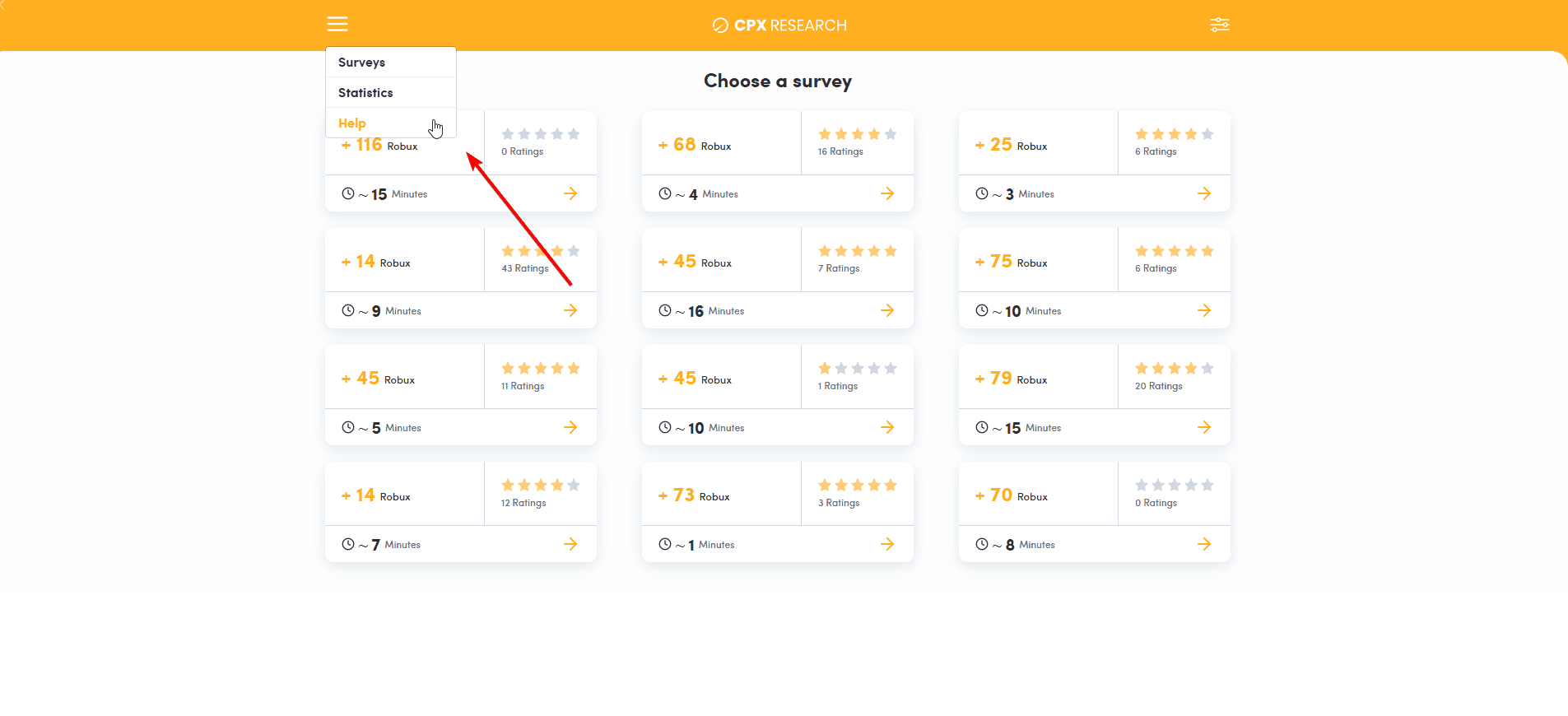
Open CPX Research from the RBXPerks surveys page while logged in.
- 2
Click the menu icon at the top, then choose Help.
- 3
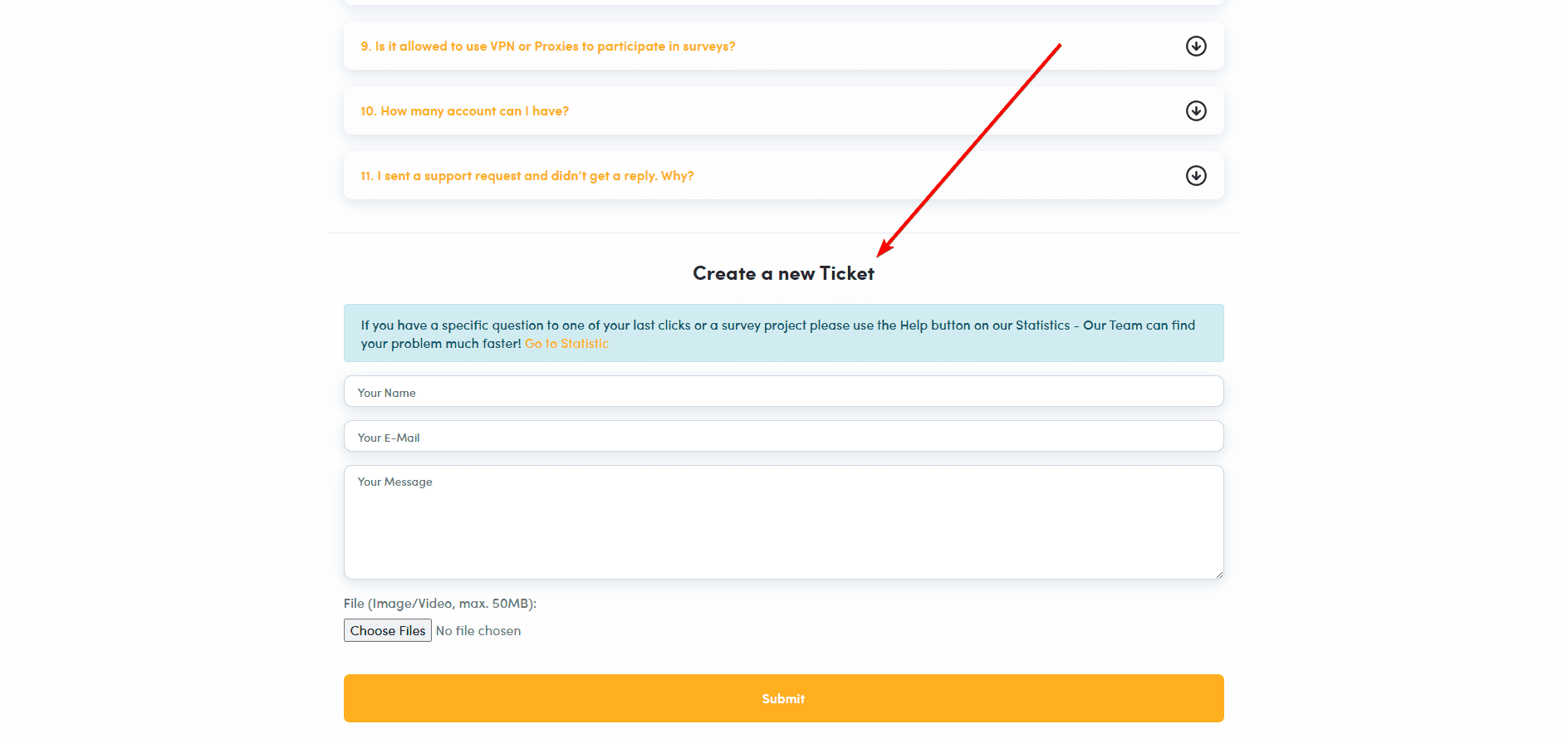
Scroll to Create a new Ticket, add your name, email, message, and upload screenshots or video proof if you have it.

Timewall
Use the provider's own support or offer history page for missing reward claims.
- 1
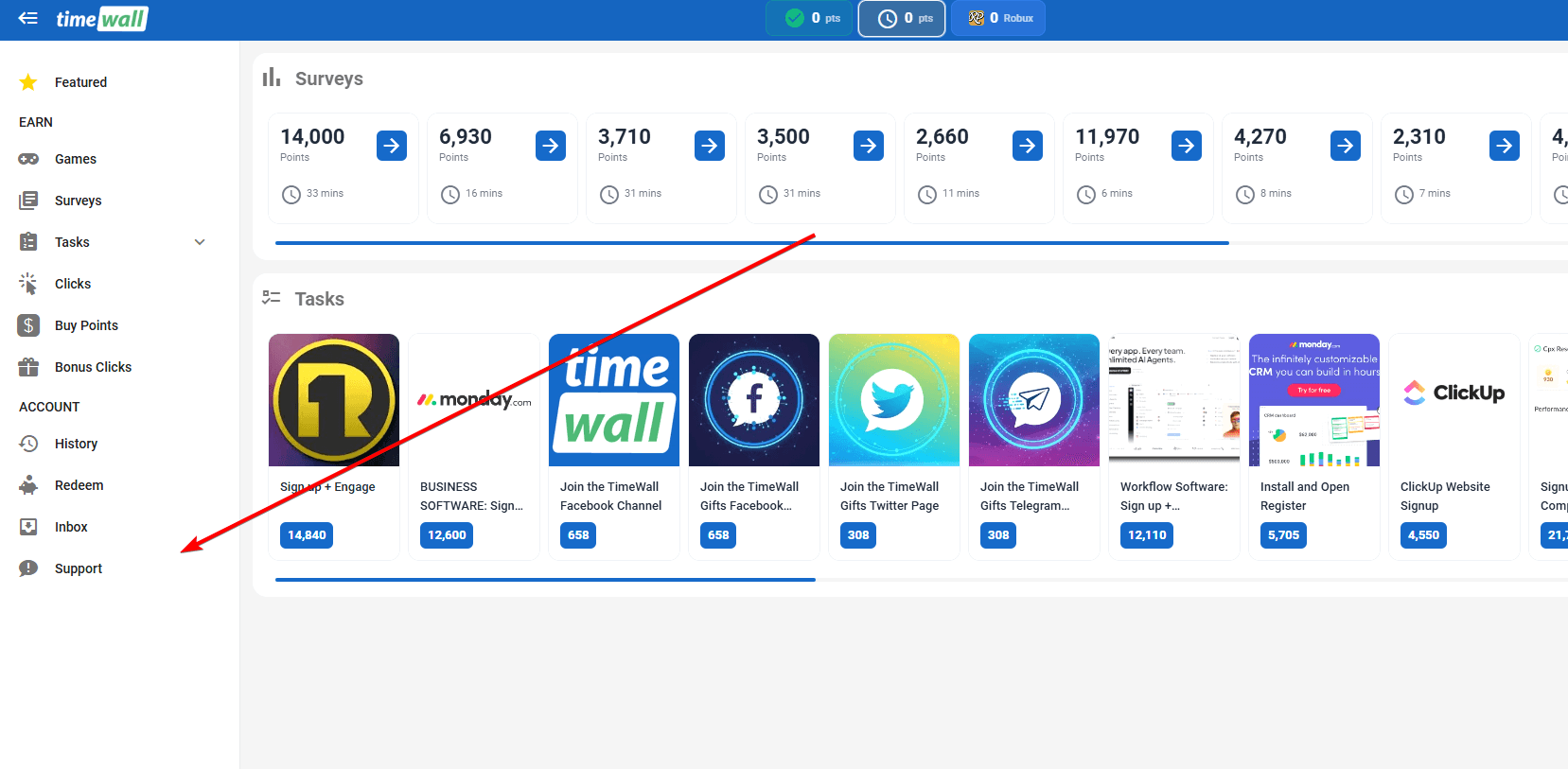
Open Timewall from the RBXPerks surveys page while logged in.
- 2
Click Support in the left sidebar.
- 3
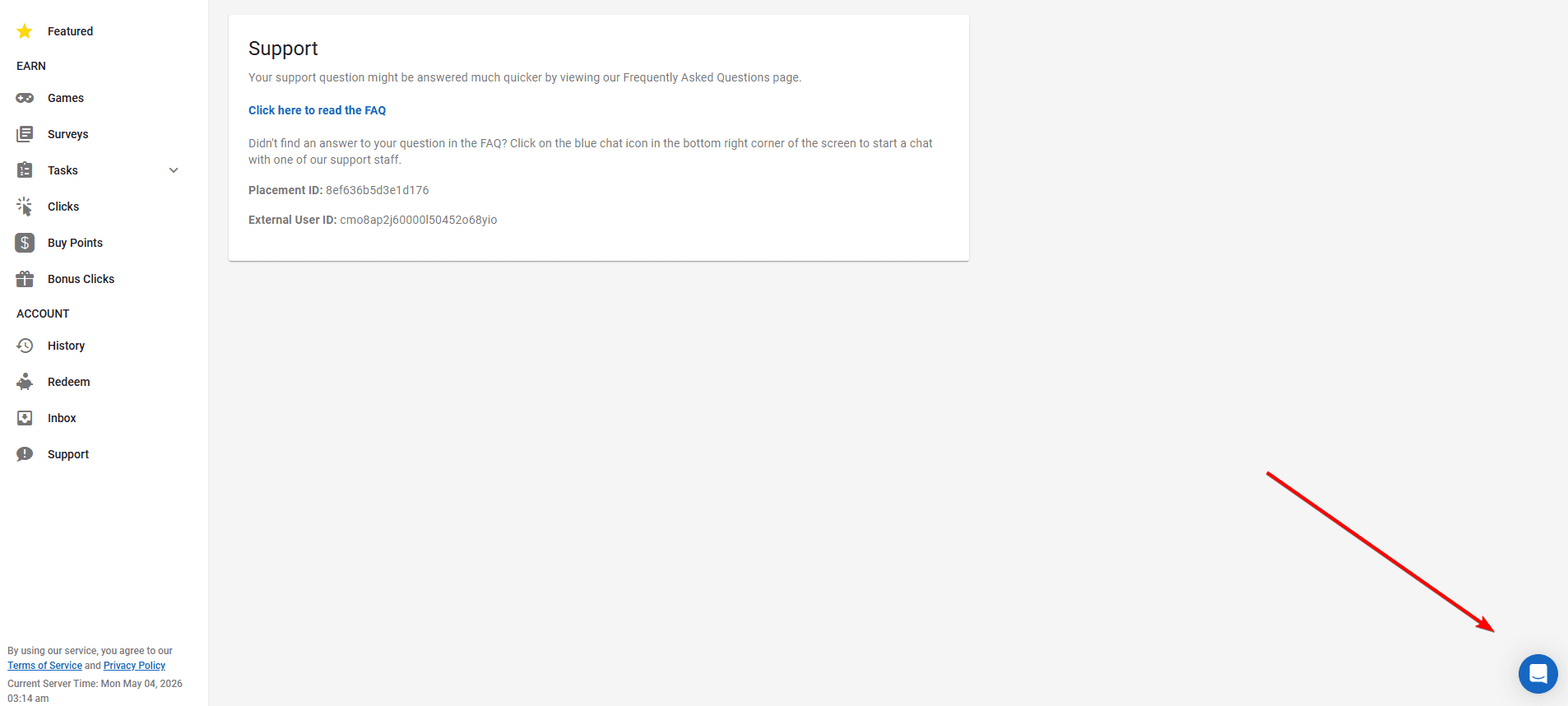
Read the FAQ first, then click the blue chat icon in the bottom right corner if you still need help.

Lootably
Use the provider's own support or offer history page for missing reward claims.
- 1
Open Lootably from the RBXPerks surveys page while logged in.
- 2
Look for Support, Help, Report, Missing Reward, or Offer History inside the offerwall.
- 3
Choose the missing offer and send the proof listed in the checklist below.
Screenshot slot
Add the real support screenshot here once captured.

ayeT Studios
Use the provider's own support or offer history page for missing reward claims.
- 1
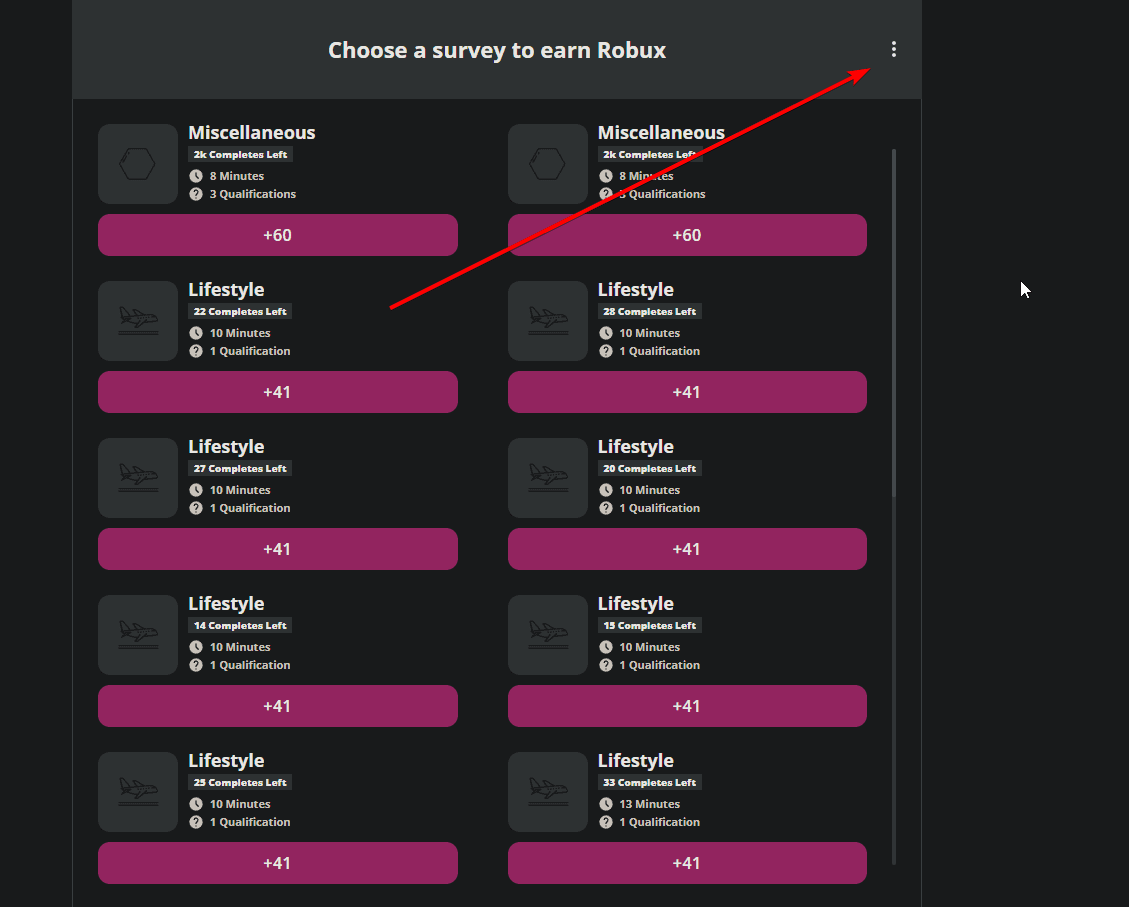
Open ayeT Studios from the RBXPerks surveys page while logged in.
- 2
Click the three dot menu in the top right corner.
- 3
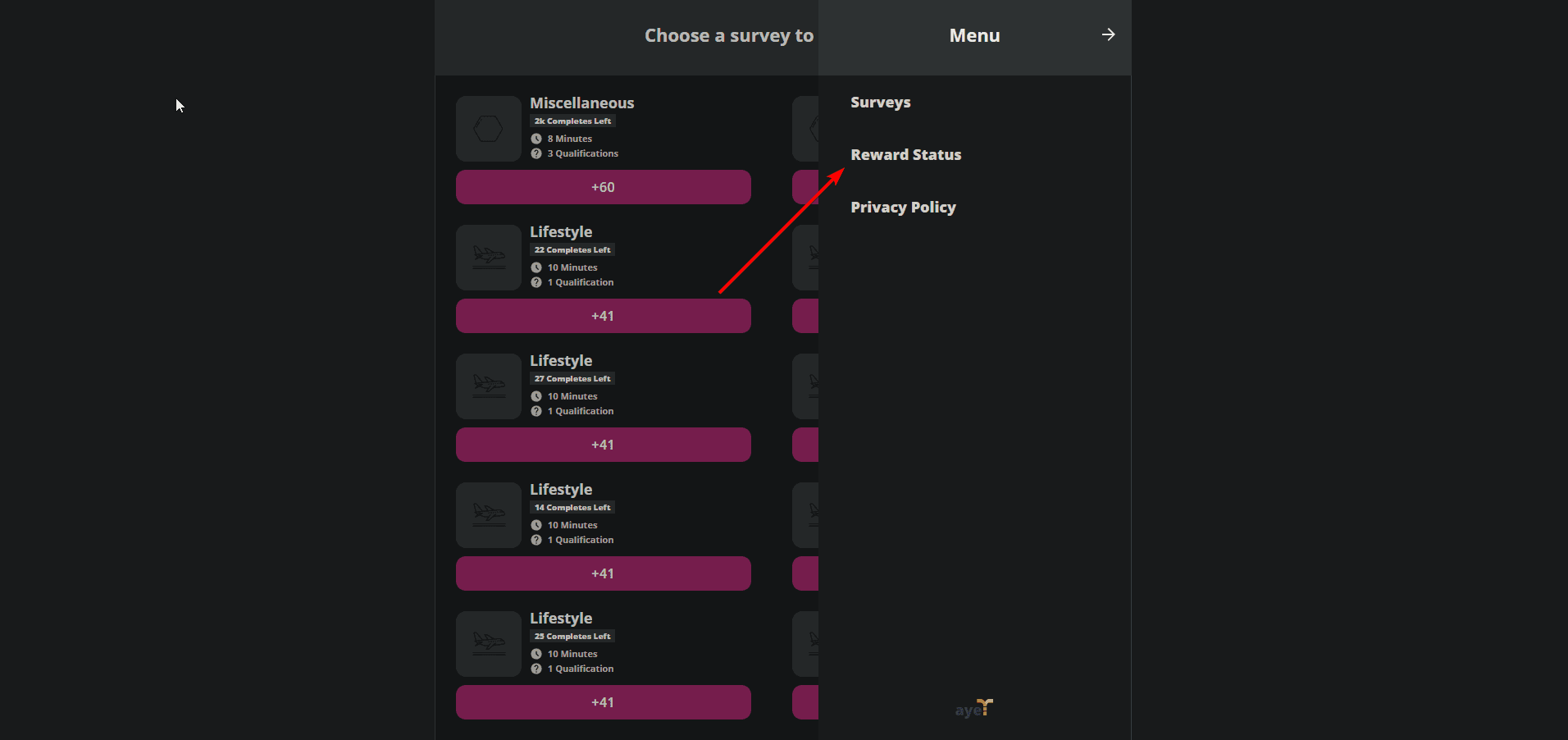
Choose Reward Status to check the offer and find the available support or status details.
What to Include in Your Support Request
Your RBXPerks username
The offerwall name
The exact offer or survey name
The date and time you completed it
Screenshots of the completion page or confirmation email
The device and browser you used
When to Contact RBXPerks
If the offerwall support team asks you to contact us, or you are unsure which provider you used, join our Discord and show the details above. Please read this guide first so support can help you faster.
Join our Discord